Business Accounts
Your financial command center
Receive settlements, pay vendors, and manage your cash flow from one place


.avif)


.svg)
.avif)
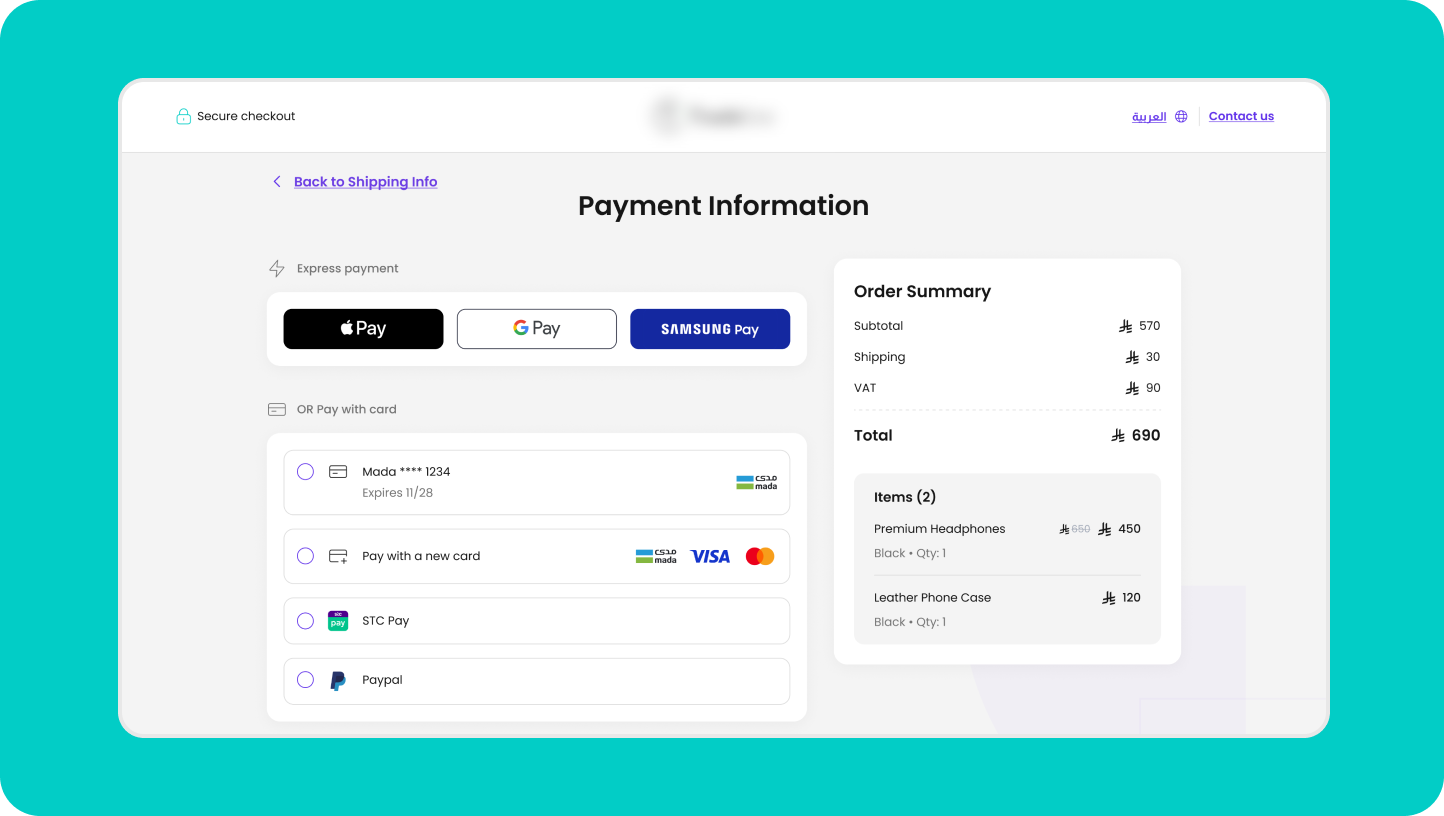

Direct funds transfer
Your settlements route directly to your lite account or local bank account, with no extra transfers or manual matching.

Pay from one account
Settle vendor invoices and process refunds directly from your business account.

Real-time visibility
Monitor balances and settlements as they happen, without waiting for month-end reports.

Start without a bank account
Begin selling and receiving payments, no bank account required.

The first steps
How it works
01.
Set up your account
Open a business account by completing digital verification in a few simple steps.
02.
Configure settlements
Choose where you want to receive your funds, whether it’s your lite account or a local bank account.
03.
Make payments
Pay your vendors and suppliers directly from your business account balance.
04.
Track everything
Monitor all sales and settlement activity from one place.
Features
Tools that fit the way you sell
Deposits funds
Settlements without the wait
Your revenue is deposited after automatic reconciliation, on the settlement schedule you set in advance.
.avif)
Outbound payments
Easier supplier payments
Add beneficiaries once, save their details, and transfer to any bank account in Saudi Arabia.
.avif)
User management
Permissions that fit your team
Set each user's permissions and route payments through approval before they go out.
.avif)
Your Platform
Manage everything in one place
Powerful insights and full control
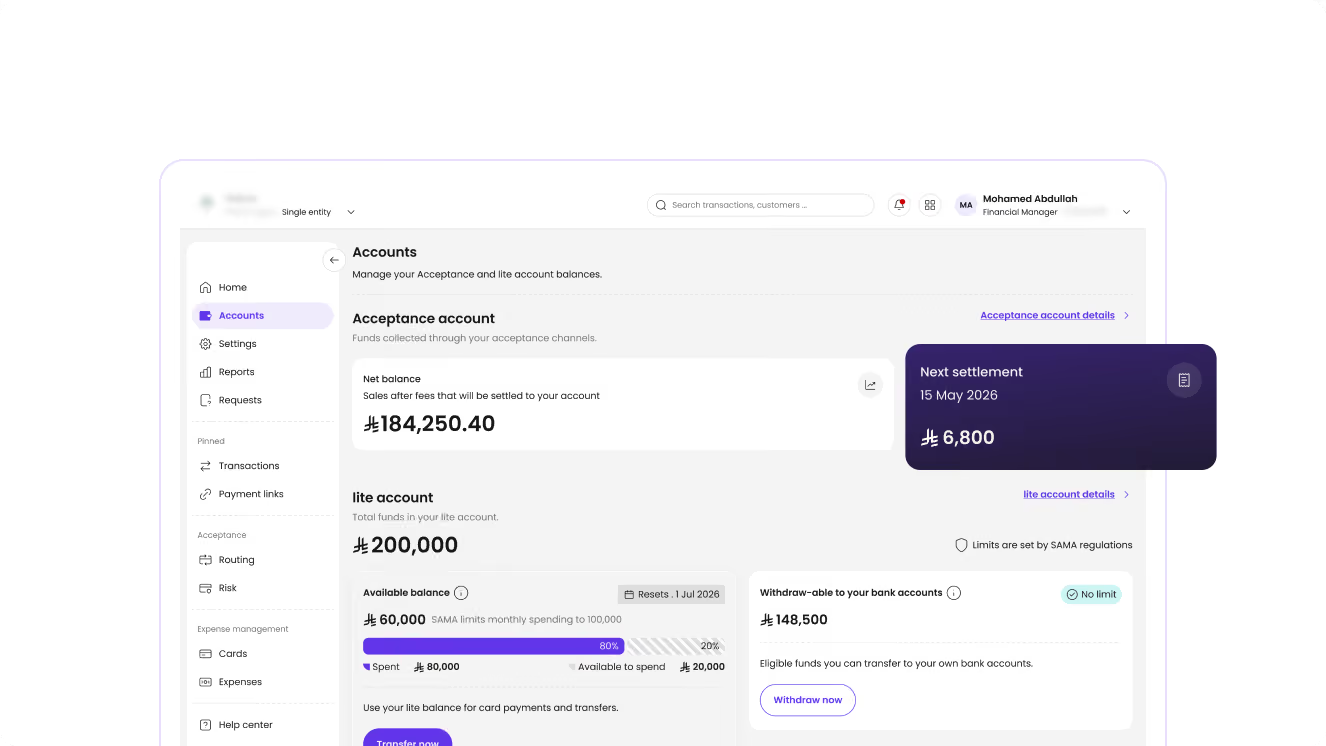
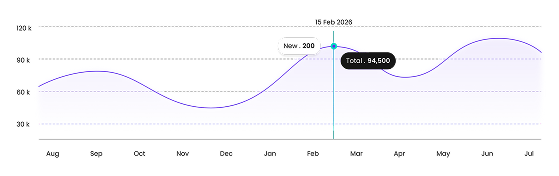
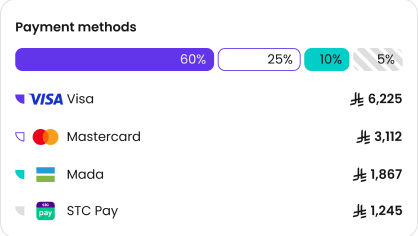
Monitor transactions, track performance, and manage your payment operations from one unified dashboard with real-time visibility.
Frequently Asked Questions
Everything you need to know about lite
1
Is lite a bank?
No. lite isn't a bank; it's a platform licensed by the Saudi Central Bank (SAMA) that allows businesses to manage money, receive payments, and send transfers from one account.
1
Do I need a bank account to open a business account?
No. You can open a business account and start using it without one.
1
How do I send payments from my lite account?
Add the beneficiary, then make the transfer from your dashboard. If a payment requires approval, it goes through once your authorized users sign off.
1
How long does it take to open a business account?
Most businesses are verified within minutes of registering, unless the review requires additional documents.
1
Can I use a business account without accepting payments?
Yes. You are not required to activate payment acceptance to use a business account; you can use it strictly for expense management.
1
Can I add multiple users to the business account?
Yes. You can add multiple users, customize their permissions, and organize approval workflows.
lite.

Grow your
business,

